

SoundTel presents a series of “Tips and Tricks” to help you better utilize your phone system. For more Tips and Tricks go to our website support page.
When receiving calls from another extension you have two options. The two options are:
- Hands free Answerback – after a short beep you can immediately speak to the extension you called. They do not need to touch their phone
 but can answer your call hands free.
 - Force Ringing for Intercom Calls – the phone rings when receiving an internal call. The receiver will have to answer your call by lifting the handset, hitting the speaker button or picking up your call with their headset.
Why would you want to switch between the modes? It’s convenient to have the Hands free Answerback mode since it saves time on waiting for the receiver to pick up the call. Plus the receiver can respond without touching their phone. On the other hand, having the phone ring is more private and for some less disruptive. The default setting selected by your system administrator will be programmed for you, but you can switch between these two options by following the instructions below (IPK I, IPK II and SV8100):
- Initiate an intercom call
- Press 1 to toggle between voice announce or ringing the extension
For users of IPK II and SV8100, you are able to change how your phone responds to an Intercom Call by following these steps:
- Hands free Answerback
- Press the Speaker Key
- Dial 721
- Press the Speaker Key
- Forced Ringing for Intercom Calls
- Press the Speaker Key
- Dial 723
- Press the Speaker Key
 Have a question or want to suggest a topic?
Email us at phonetips@soundtel.com
For other inquiries contact us at 425-481-5493 or service@soundtel.com
For 30 years, we have assisted companies like yours in their every communications need. We are a local, family-owned business invested in our community. Contact SoundTel or call 425.481.5493 or 800.797.3663 to learn more.





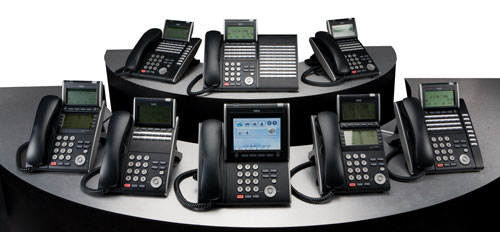


 But if you are a small single location office, this type of flexibility and scalability is unnecessary. In this case, a more standard premise based solution may be appropriate. A business should not let the excitement of moving with the newest technology trend outweigh a thorough review of the costs and benefits. Also, modern premise systems come with many of the same options as hosted systems.
 If you run a healthcare business or senior care facility, putting someone on extended hold or missing a call could be a matter of life or death. Answering all calls in a timely matter is more than good customer service in the healthcare industry. Yet many offices struggle with out-of-date systems that are unable to handle growing clientele numbers efficiently and effectively. Simply parking customers on hold for several minutes is not acceptable.
 As the article highlights, there is a wide range of technologies to upgrade or replace aging systems. VoIP offers faster, clearer and more reliable service than many traditional phone lines. IP-based communications allow businesses to answer phones through their laptops, check their email for voicemail left in their office, and run high-bandwidth medical applications that are becoming more popular.
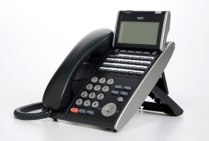 Is your business tired of using dated looking phones, but don’t want the cost of upgrading your entire system? Now, if your business is using an NEC IPK II model system, you can upgrade to new NEC phones without the cost and hassle of changing the entire system.
 If your system is an older IPK I version, digital phones are also available when you add a retrofit keypad. This is a great way to modularly update your current system.
 Seattle area top provider of telecommunication since 1984